
Services
What Are Services?
Services are one of FolderHost's most powerful features. You can set up almost any server program as a service. For example game server or web server. You can set a RAM limit and observe what's happening in the service terminal. You can also run commands. Only selected users can see and use them. This is for security, you decide the user permissions.
Key Features
- RAM Limiting – Control exactly how much memory each service uses
- Terminal Access – Watch logs and interact with running services
- Command Execution – Run commands inside service context
- User Permissions – Granular control over who can see/use each service
- Auto Management – Auto-start and auto-restart options
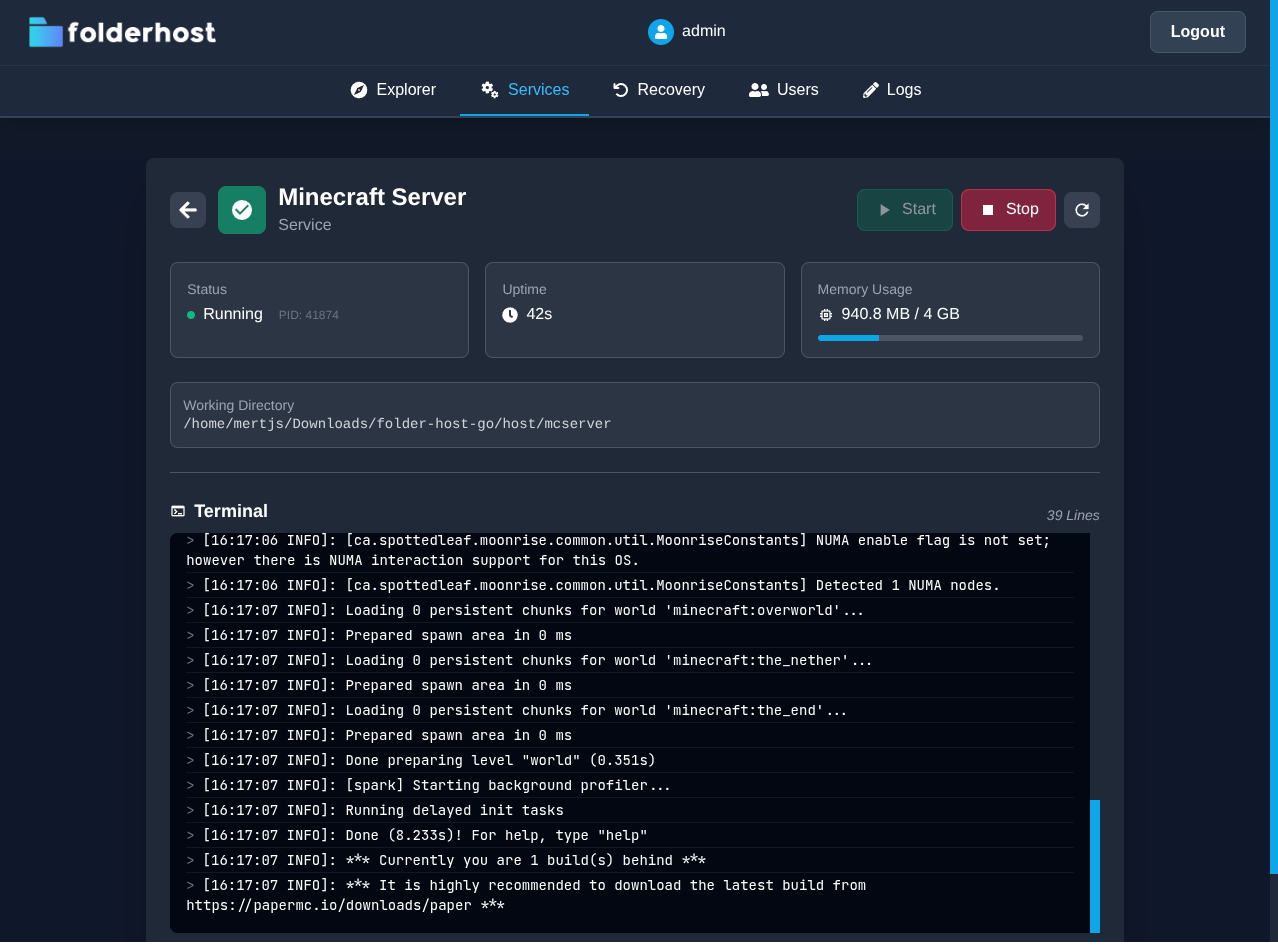
Configuration Example
Here is an example web server and minecraft server services.yml configuration:
enable_services: true # Don't forget to enable it if you're going to use them.
services:
  # Here are some example services. You can also create your own service.
   - title: "Minecraft Server"
     workdir: "./host/mcserver" # Where you want to run this script.
     # Script to start the service. Make sure to not use shellscripts for that.
     # Because It's not safe if it's located in host folder.
     script: "java -Xmx4G -jar server.jar nogui"
     ram: "4 GB" # RAM limit - also supports MB and KB (e.g., "720 MB")
     auto_start: true # Auto start with folderhost
     auto_restart: false # Do you want auto restart after crash or something?
     allow_executing_commands: true # You can disable it for security.
     # UsePTY Linux only: Enables pseudo-terminal for interactive apps.
     # Required for terminal features to work properly.
     use_pty: false
     users: # users that are not listed here can't even see them.
     - username: "admin"
       permissions: # user permissions
         start: true
         stop: true
         read_logs: true
         execute_commands: true
     - username: "user1"
       permissions:
         start: true
         stop: true
         read_logs: true
         execute_commands: true
     - username: "user2"
       permissions:
         start: true
         stop: true
         read_logs: true
         execute_commands: true
   # PHP Web Server example
   - title: "Web Server"
     workdir: "./host/miro"
     script: "php -S 0.0.0.0:8080"
     ram: "100 MB"
     auto_start: true
     auto_restart: false
     allow_executing_commands: false
     use_pty: true # Linux only: You can try it. Sometimes your service can work better with that enabled.
     users:
     - username: "admin"
       permissions:
         start: true
         stop: true
         read_logs: true
         execute_commands: false
     - username: "user2"
       permissions:
         start: true
         stop: true
         read_logs: true
         execute_commands: false
User Permissions
| Permission | Description |
|---|---|
start | Can start the service |
stop | Can stop the service |
read_logs | Can view service logs |
execute_commands | Can run commands in terminal |
Security
To ensure security, services configuration cannot be changed using webpanel. You have to login your server and change it manually. If someone had a chance to change the services configuration, they could place some malicious shellscripts in the configuration. To avoid that configuration will be set only 1 time. For any changes you must restart the server. Also avoid running scripts that are inside the host directory. If someone can modify these scripts, they could restart the service with malicious code.